 Social Place
How to launch a new product with your store community
Most product launches happen in a single day: a newsletter, an Instagram post, a new product page. With a community on your store, a launch starts weeks earlier and keeps going long after. The customers who watched the product being made, voted on its color and saw it first are the ones who order it, photograph it and answer questions about it. Here’s how to launch a new product with your community, before, during and after the big day.
To keep it concrete, we follow one example: a small stationery brand that sells notebooks and pens, and is about to launch a new notebook in a new cover color.
First, start before you need it
A community doesn’t appear the week of a launch. It takes months of regular posts before customers post on their own, and an empty forum won’t fill up because a new product is coming. If your next launch is in two months, start posting now. If you don’t have a forum yet, the guide on how to build an online community for your Shopify store covers the first weeks.
Once the community is there, a launch is one of the best things you can give it: a story with a beginning, a middle and an end, where members have a part to play.
The plan at a glance
Split the launch into three moments, each with its own kind of post.
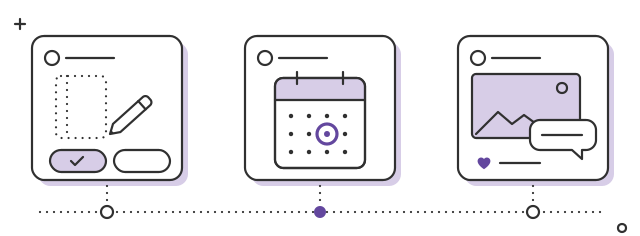
- Beforebehind the scenes and polls
- Launch weekfirst look, then launch day
- Afterphotos, questions and thanks
- Four to six weeks before: show the behind the scenes and ask for members’ opinions.
- Launch week: give members a first look, then tell the story of the product on launch day.
- The weeks after: collect the first photos, answer questions and close the loop with the people who voted.
Four to six weeks before: show the behind the scenes
People love to see how things are made, and almost nobody shows it. Post what you’re working on before it’s finished:
- The first sketches of the cover, photographed on the desk.
- The samples. Three paper weights side by side, with a photo of the same pen line on each one.
- The misses. “The first batch of covers came out far too dark. Here’s what we’re changing.” A failed test gets more replies than a perfect product shot, because people love to give advice.
- A short video of the prototype: flipping the pages, opening it flat on the table. Thirty seconds on a phone is enough.
Post under a real name. “Nina, who designs our notebooks” is someone members can talk to. “The team” isn’t. You don’t have to reveal everything: a corner of the cover or a close-up of the paper keeps some of the surprise for later.
Need more formats that get people talking? We collected them in community post ideas for your Shopify store.
Ask members, then really listen
A poll in a post is the simplest way to involve members, and with Social Place, members vote right in the post. The stationery brand could ask:
- The color: “Sage, rust or ink blue for the new cover?”
- The format: “Dotted, lined or blank pages?”
- The name: three names the team likes, one vote.
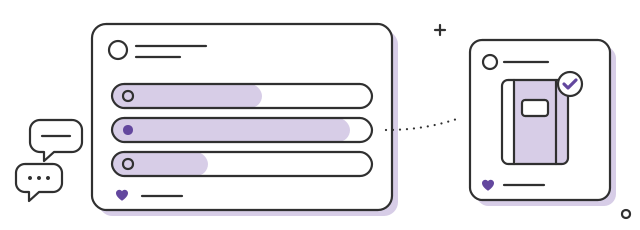
A vote only works if it counts. Three rules:
- Only ask about what you can still change. If the paper is already ordered, don’t ask about paper. If you can only make two colors, offer two.
- Say what you’ll do with the result before people vote: “The winning color goes to the printer on the 15th.”
- Post the decision. Share the result and what happens next: “Rust won, by a wide margin. Here’s the sample, and it goes to the printer on the 15th.” If you go another way, say why: “Ink blue faded in the light, so we’re keeping it for later.” Members accept a different choice when you explain it. They don’t forgive being ignored.
Read the comments under the poll too: that’s where you learn that half your customers use fountain pens.
Launch week: a first look for members
A few days before launch, show the finished product in the forum first, before Instagram and before the newsletter: the final photos, the short video, the details people asked about. It gives members a simple reason to be there: they see things first.
You can go one step further:
- A private category for regulars. With Social Place, the whole forum or only some categories can be private, on request that you approve. Post the first look there a day earlier.
- A first look as a reward. Make early access part of your top level, next to the discount codes. We explain how in how to reward customers with points, levels and badges.
Launch day: tell the story, not the pitch
On the big day, skip the countdown and the “last chance”. Members followed the whole story, so finish it. One post, from the person who made the product, under their own name:
Video: Nina flips through the new notebook, then opens it flat on the desk.
The rust notebook is here, and you picked it
Six weeks ago, we showed you three sketches and a cover that came out far too dark. You voted, you told us about your fountain pens, and we changed the paper for it. Here’s the result. It’s on sale from today. If you have a question about the paper, ask it here and I’ll answer.
Nina, from the shop
Link the product in the post, so readers can open it in one click. Then:
- Your Instagram launch post comes along. With the Instagram plan, your posts and Reels flow into the forum automatically, comments included, so you don’t post twice.
- Members hear about it. Email alerts let members know about replies and news, so the people who voted find out the product is out.
- Stay around. Reply to every comment that day. Launch day is when questions come in fastest.
The weeks after: photos, questions and thanks
The weeks after launch are when the community does the most for the next shoppers.
- Open a thread for first photos and reviews a few days after the first deliveries: “Show us your first page, and tell us how the paper takes your pen.” A precise question gets more photos than “Share your pictures!”. Our article on how to get customers to share photos of your products goes further.
- React to every photo. A like or a heart tells the customer someone saw it.
- Answer questions once, in the open. “Does the paper take fountain pen ink?” will come back many times. Answer it in a thread everyone can find, and send the link next time. Here’s how to answer customer questions once in a forum.
- Welcome the mentions. With the Instagram plan, the posts where customers mention you are added to the forum, so a customer’s unboxing photo becomes a thread others can reply to. Thank them there.
- Close the loop. A month later, post what you learned: “Three things you told us about the rust notebook, and what we’ll change in the next batch.” Thank everyone who voted. They’ll vote again next time.
These threads keep working long after launch week. A shopper who hesitates in six months will find real photos and real answers next to the product.
A launch calendar to copy
| When | In the forum | Example |
|---|---|---|
| 6 weeks before | A behind-the-scenes post | “The first sketches of our new notebook” |
| 4 weeks before | A poll | “Sage, rust or ink blue?” |
| 3 weeks before | The result and the decision | “Rust won, here’s the sample” |
| A few days before | A first look for members | Final photos and a short video |
| Launch day | The story of the product, product linked | Nina’s post |
| The week after | A photo thread | “Show us your first page” |
| A month after | What you learned | “Three things you told us” |
Three mistakes to avoid
- Asking for a vote and ignoring it. If you won’t follow the result, don’t ask. If you change your mind, explain why.
- Turning the forum into an ad. Countdowns, promo codes in every post, “only 3 left”: members came for the story, not for a sales page.
- Going quiet after launch day. The photos, the questions and the thank-you post are what the next shoppers will read.
What to expect
A community won’t replace your launch marketing. Your newsletter, your Instagram and your product page still do most of the selling. What the community adds is the people who care most, and the proof they leave behind: their votes, their photos, their questions and your answers.
The first launch with a young community can feel quiet, with a handful of votes and a few photos. That’s normal. Each launch brings more people into the story, and by the third one, members will ask what you’re working on next before you even post it.
Posting your launch on Instagram too? Here’s how to turn your Instagram followers into a community on your store.
FAQ
How early should I start talking about a new product with my community?
Four to six weeks before launch is enough for the product itself: behind the scenes first, then a poll, then a first look a few days before. The community needs to exist long before that, since it takes months to build.
Should I let my community vote on a new product?
Yes, on what you can still change: a color, a format, a name. Say what you’ll do with the result before people vote, post the decision and thank everyone who voted.
What should I post on launch day?
One post from the person who made the product, under their own name: the story of the product, what changed thanks to members, a short video and the product linked. Skip the countdown and the hard sell.
How do I get the first photos and reviews after a launch?
Open a photo thread a few days after the first deliveries, with a precise question. React to every photo and answer questions in the open. With the Instagram plan, the posts where customers mention you are added to the forum too.
Can a community replace my launch marketing?
No. Your newsletter, your Instagram and your product page still do most of the selling. The community adds the people who care most, and their votes, photos and questions help the next shoppers.