 Social Place
Discord, Facebook group or a forum on your store?
Where your community lives shapes who joins, what they talk about and whether those conversations help you sell. Here’s how a Discord server, a Facebook group and a forum on your own store compare for an e-commerce brand.
The short answer
- Discord if your customers already use it and want to chat in real time: gaming, tech, collectibles, creators.
- A Facebook group if your audience spends its time on Facebook and you want to start this week.
- A forum on your store if you want conversations next to your products, on your own domain, from customers who come back to your site.
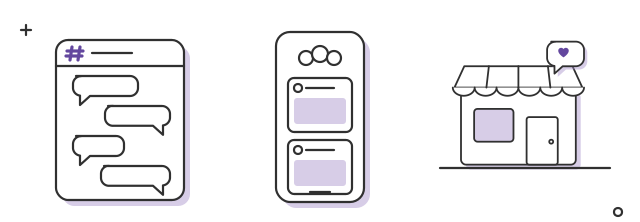
- Discordlive chat
- Facebook groupa feed of posts
- Forum on your storethreads that last
Side by side
| Criteria | Discord server | Facebook group | Forum on your store |
|---|---|---|---|
| Account members need | A Discord account | A Facebook account | Their customer account on your store |
| Where conversations live | discord.com | facebook.com | Your store’s domain |
| Best format | Live chat | A feed of posts | Threads organized by category |
| Links to your products | Pasted links | Pasted links | Products linked in posts (depends on the app) |
| Your Instagram posts | Shared by hand or through bots | Shared by hand | Imported automatically, comments included (depends on the app) |
| Found on Google | Some public messages of large servers, from mid-December 2026, on discord.com | Public groups: visible to anyone. Private groups: members only | Discussions can show up on Google, on your domain |
| Who sets the rules | Discord | Meta | You, within the app you choose |
| Rewards tied to purchases | Through third-party bots and integrations | Not tied to your orders | Points and Shopify discount codes (depends on the app) |
Discord: great for live chat, hard for lasting answers
Discord was built for real-time conversation. For brands whose fans like to hang out together, it can feel alive within days.
The limits for a store:
- Messages scroll away. A great answer from Tuesday is buried by Thursday, and the same question gets asked again.
- New members land in a busy room. Dozens of channels and a fast chat put off many people before their first message.
- Your customers need a Discord account. Many shoppers outside gaming and tech don’t have one.
- Conversations stay on Discord. On October 27, 2026, Discord announced that some messages from public channels of Discoverable Servers will appear in Google from mid-December, without usernames. It only concerns servers with at least 1,000 members listed in Server Discovery, and the traffic goes to discord.com, not to your store (The Next Web).
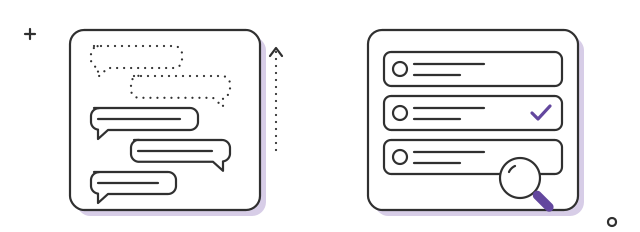
- In a chatmessages scroll away
- In a forumanswers stay findable
Facebook groups: easy to start, hard to own
Many customers already have a Facebook account and know how groups work. You can create one in minutes, and members get notified in an app they already open every day.
The limits for a store:
- Facebook decides what members see. Your group’s posts compete with everything else in their feed.
- You don’t own the space. Features and reach follow Meta’s priorities, and your members stay on Facebook.
- Conversations are far from your products. A customer who reads about a product in the group has to leave Facebook and find it on your store.
- Private groups stay private. Their posts are only visible to approved members, so they don’t help new shoppers discover you (Meta).
A forum on your store: slower to start, built to last
A forum on your store works differently: conversations happen where people shop.
What it does well:
- No new account. With the right app, customers sign in with the account they already use on your store.
- Conversations sit next to your products, and posts can link straight to them.
- Your Instagram comes along. With an app like Social Place, your Instagram posts and Reels are imported into the forum automatically, comments included, and the posts where customers mention you can be added too. The forum fills up while you keep posting on Instagram.
- Answers stay findable. Threads are sorted by category, so last month’s answer is still easy to find.
- Discussions on your domain can show up on Google. Google even has a “Discussions and forums” feature that highlights first-hand perspectives from forum sites (Google Search Central).
- Activity can be tied to purchases: points for buying, discount codes at each level.
Its limits:
- You bring the traffic. Members come from your store, your newsletter and your social accounts, not from a platform’s discovery feed.
- You fill it at the start. An empty forum looks abandoned: write the first posts with your team, and bring in your Instagram posts and the posts where customers mention you.
- It takes time. Count in months, not weeks, before customers post on their own.
- Threads come first, live chat second. Some forum apps add live rooms, but the core is posts that last.
Setting one up takes no code: here’s how to add a forum to your Shopify store.
Can you use more than one?
Yes, and many brands do. A common split: a Discord server or WhatsApp group for live chat between superfans, and the forum on your store for questions, photos and tips that should stay findable. Share new forum threads in your other channels, so each one feeds the other.
Moving an existing community to your store
If your community already lives on Facebook or Discord, move it step by step:
- Give a reason to come. Something that only exists on the store forum: early access, a members-only category, rewards for taking part.
- Bring the best content across first. Repost your most useful threads and answers, with their photos, so the new space isn’t empty.
- Announce it where your members already are. A pinned post in the group, with the link. With Social Place, a dedicated flow helps you invite the members of your group.
- Keep the old group open for a while. Post there less and less, and share new forum threads with a link.
- Don’t close the old space overnight. Members who feel pushed tend to leave rather than follow.
Four questions to decide
- Do your customers already use Discord or Facebook every day?
- Do they mostly want to chat live, or to ask, show and find answers later?
- Should those conversations help new shoppers find your store?
- Should activity in the community be linked to purchases and rewards?
If your answers are “not really”, “find answers later”, “yes” and “yes”, the forum on your store is the better home.