 Social Place
How to get customers to share photos of your products
Photos posted by customers do what no product shot can: they show your product on a real shelf, in a real living room, in real light. They’re also what makes a forum feel alive. Here’s how to get your customers to share them, without paying for them and without waiting for luck.
To keep it concrete, we follow one example: a small plant shop that sells houseplants, pots and care kits.
Why customer photos matter
- They get replies. People react to what they see. A post with a photo starts a conversation more easily than a block of text.
- They answer the next shopper’s questions. A plant in someone else’s living room shows its real size, its real color and how it looks after six months. A product page can’t.
- They show what you could never shoot yourself. Dozens of homes, windows and styles. Your own photo shoot shows one.
- They make the forum look alive. A page full of real photos tells visitors that people are here, and that they can post too.
This kind of content, created by your customers rather than your brand, is often called user-generated content, or UGC. On a store community, it’s mostly photos. No forum on your store yet? Here’s how to add one to your Shopify store.
Ask at the right moment
The best moment isn’t at checkout. It’s when the product has found its place and the customer is happy with it.
| When | What to ask |
|---|---|
| A few days after delivery | “Did it arrive safely? Show us where it found its spot.” |
| A few weeks later | “Three weeks in: has it grown a new leaf?” |
| With the seasons | “Show us your plants getting ready for winter.” |
One line is enough, where your customers already read you: a follow-up email after delivery, your newsletter, a small card in the parcel, a story on Instagram. Each time, the same simple request and the link to the community.
Posts that call for a photo
Customers post a photo more easily when the question is precise and quick to answer. A few formats that work:
- Show us yours: “Where does your plant live? Post a photo of its spot.”
- Before and after: “Your plant on day one, and today.”
- Photo of the week: the best member photo, featured every Friday.
- A small challenge: “Your greenest corner this month”, with a badge for everyone who takes part.
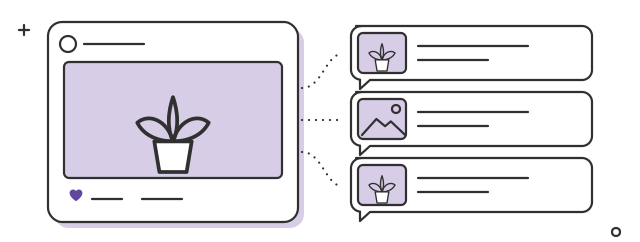
A post you can adapt
Photo: the shelf by the shop window, three pots and a trailing pothos.
Where does your plant live?
This is the shelf by our window, the one every new plant passes through before it leaves. Show us your spot in the comments: windowsill, bookcase, bathroom, anything goes. On Friday, our favorite goes in the newsletter.
Léa, from the shop
Go first: post your own photos
People share more easily when they see others doing it. Before you ask anything, show the way with your own photos: the packing table, the greenhouse in the morning, the new pots arriving, the plant that didn’t make it. Each person on your team posts under their own name.
Keep these photos simple. Phone photos in natural light are perfect. If every photo in the forum looks like an ad, customers won’t dare to post theirs.
For more ideas on filling a new forum, see our guide on how to build an online community for your Shopify store.
Bring in the photos that already exist
Your customers already take photos of your products. They just post them somewhere else.
- Instagram mentions. When a customer tags your shop on Instagram, their post can be added to the forum, with an app like Social Place. These are real customer photos, and they show newcomers that people like them are already here. More in how to turn Instagram followers into a store community.
- Photos in reviews. Share them in the forum with the customer’s first name and where they posted, after asking.
- Photos sent by email or message. When a customer sends you a photo, ask: “Can we share it in the community?”
One limit: never present a photo as a customer’s when it isn’t. No stock photos, no invented members.
Thank and reward, don’t buy
Recognition comes first, and it costs nothing: a like and a reply to every photo, the photo of the week pinned at the top, a member’s photo in your newsletter with their first name.
Points work well too, because they reward taking part in general: members earn points for their posts and comments, get a badge next to their name and unlock discount codes as they level up. We explain how to set that up in how to reward customers with points, levels and badges.
A discount in exchange for one photo is different. It turns sharing into a transaction, you get photos taken for the discount, and other customers can tell.
Reusing customer photos elsewhere
A great customer photo deserves to be seen on your product page, in your newsletter or on Instagram. Before you reuse one:
- Ask first, in a reply or a private message: “We love this photo. Can we share it on our product page, with your first name?”
- Credit them with their first name or their Instagram handle.
- Keep their answer, so you know who agreed to what.
- Remove the photo if they change their mind.

Most customers say yes, and many are proud of it. Asking is also what keeps them posting.
Five mistakes to avoid
- Expecting perfect photos. A blurry photo of a real living room is worth more than a staged one.
- Leaving photos without a reaction. A photo nobody answers is often the last one that person posts.
- Reusing a photo without asking. Ask, credit, and be ready to remove it.
- Only posting your catalogue shots. Product photos don’t start conversations. Real life does.
- Giving up after a few weeks. The habit of posting photos takes months to set in. Keep asking, keep thanking.
FAQ
What is user-generated content (UGC)?
Content created by your customers rather than your brand: photos, videos, reviews and posts about your products. In a store community, it’s mostly the photos customers post in the forum.
How do I get customers to post photos?
Ask when the product is in use, a few days or weeks after delivery, with a precise question like “show us where it lives”. Post your own photos first, react to every photo and feature the best ones.
Should I pay customers for their photos?
It works better to recognize them: a feature in your newsletter, a badge, points for taking part. A discount in exchange for one photo turns sharing into a transaction.
Can I use customer photos on my product pages?
Yes, if the customer agrees. Ask first, credit them with their first name or handle, and remove the photo if they change their mind.
How long before customers post photos on their own?
Count in months. Start with your own photos and the posts where customers mention you on Instagram, react to everything, and the habit sets in over time.